Events Premium
Invite and message contests that run themselves
Start a time-boxed invite or message competition from the dashboard. Invite Tracker scores it from zero, keeps an event leaderboard in your channel and announces the winners when time runs out.

Summer Invite Race
The top 3 inviters win Nitro Basic.
Invites competition · Ends
Top 3 win · 5 invites minimum
Leaderboard
- 1.@Kira · 23 invites
- 2.@Rex · 19 invites
- 3.@Théo · 14 invites
- 4.@Juno · 9 invites
- 5.@Ivy · 6 invites
Juno
Only you can see this
#4
9 invites
5 invites to reach rank #3
What it does
Invite competitions
Count the regular invites each member brings during the event. Fake invites never score, and an invite is taken back if that member leaves before the end.
Message competitions
Count the messages that already count towards your members' message counts, so your blacklists, whitelists and counting delay apply on their own.
Scores that start at zero
Every event keeps its own scores from its start. Your main leaderboard, /invites and /messages never change, and resets never touch an event.
A live event message
Invite Tracker posts the event's name, end countdown, rules and top 10 in your channel, and updates it every 15 minutes.
Scheduled starts
Pick a date and time in your time zone and the event starts on its own, then runs for the duration you set, up to 3 months.
Winners announced automatically
When the event ends, its board freezes and Invite Tracker posts a winners announcement in the event's channel that mentions every winner.
How it works
- 1
Open the Events page
Add Invite Tracker to your server, open Events on the dashboard and click New event, or Schedule to start it later.
- 2
Set the rules
Pick invites or messages, the channel, the duration, an optional required role, how many ranks win and the minimum score they need.
- 3
Let members compete
Members follow the event message, check their rank with a button or /event rank, and the winners are announced when time runs out.
Run up to 10 events at once
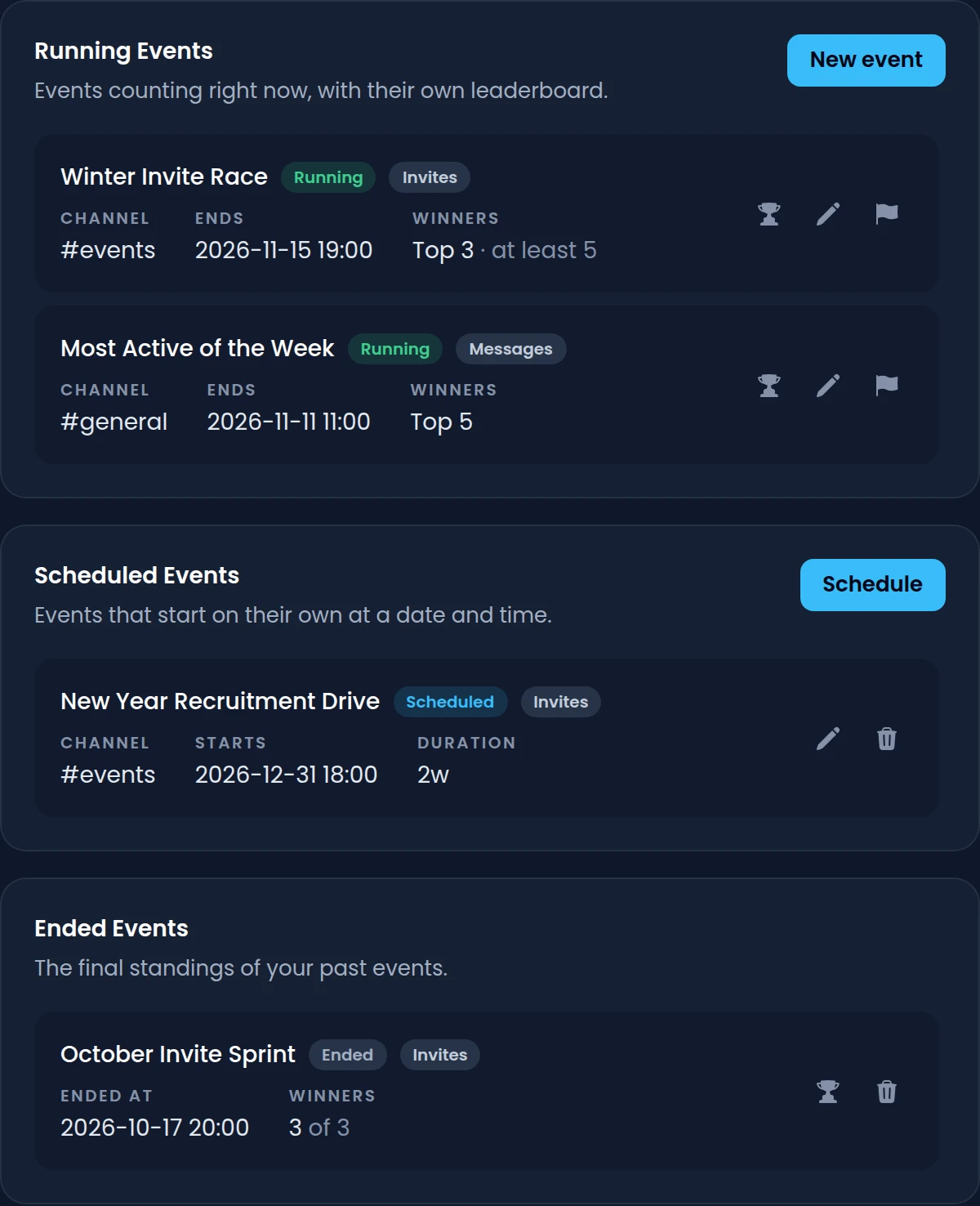
The Events page lists your running, scheduled and ended events with their channel, end date and winning ranks. Start an event now or schedule it, and change it while it runs.
- Up to 10 running events at the same time, and as many scheduled ones as you want
- Durations such as 7d or 3d 12h, for events of up to 3 months
- Edit a running event's name, duration, rules and winners without restarting it
- End an event early: its standings freeze and the winners are announced right away
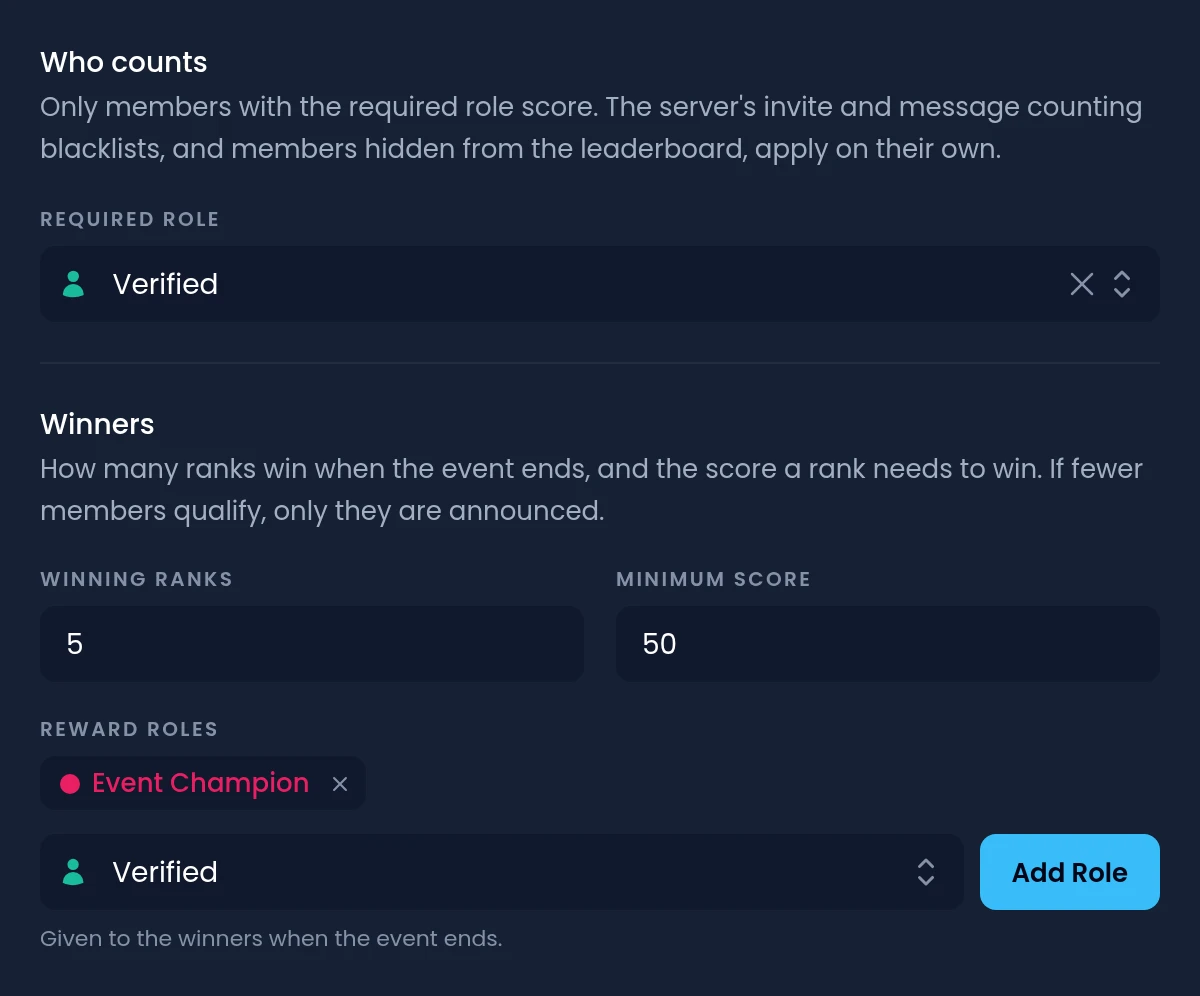
Choose who wins and what they get
Set how many ranks win and the minimum score a rank needs to win. If fewer members reach it, only the ones who do are announced.
- Up to 50 winning ranks per event, with an optional minimum score
- A required role limits scoring to the members who have it
- Up to 10 reward roles, given to the winners when a message event ends
- Invite events announce their winners without roles, following Discord's policy
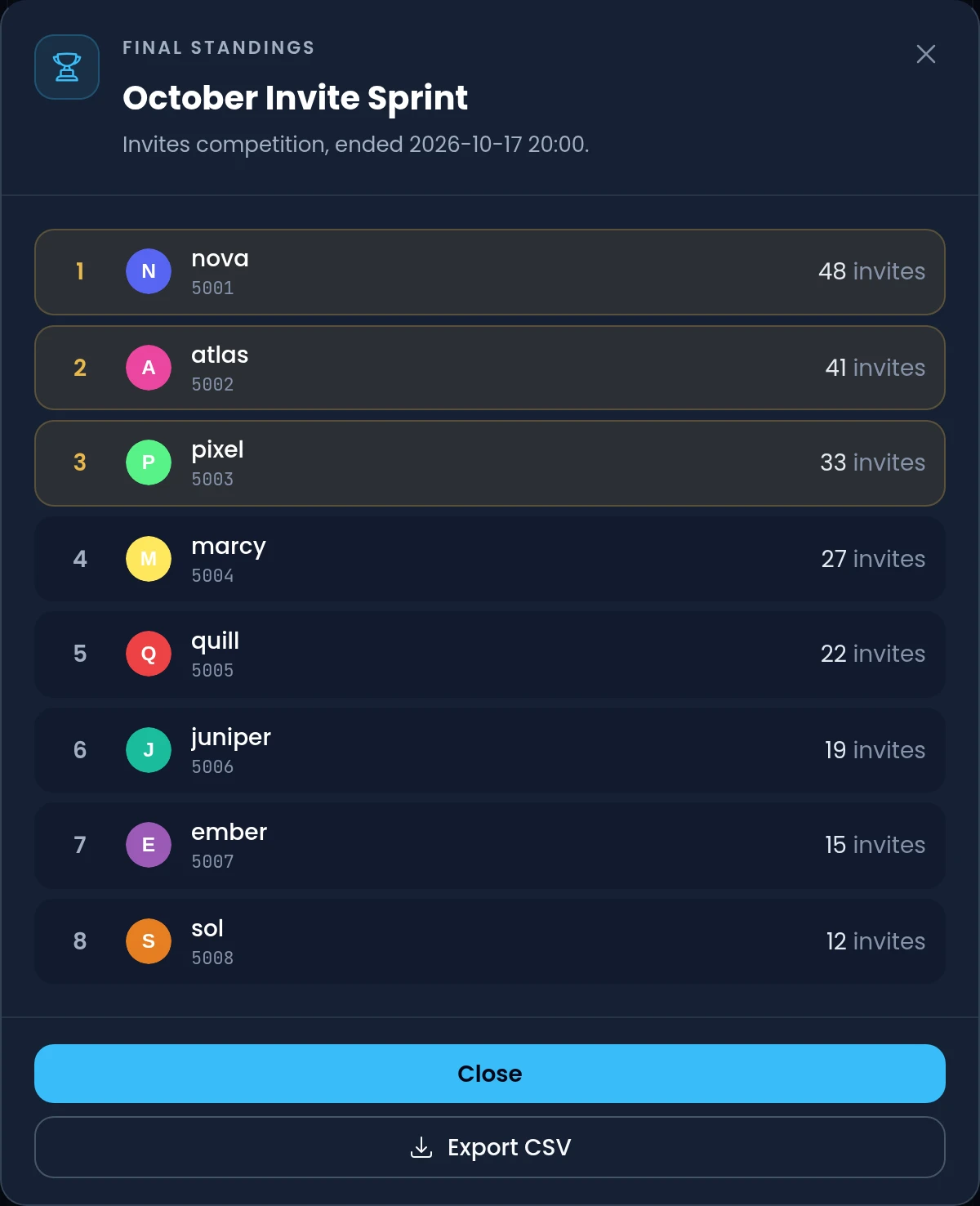
Final standings you can export
Open any event's standings from the dashboard: live while it runs, final once it ends, with the winners highlighted. Download the full list as a CSV file.
- Live standings for running events, final standings for ended ones
- A CSV export with each member's rank, user ID, username and score
- Your 50 most recently ended events are kept with their standings
- Blacklisted inviters never score, and hidden members stay off invite event boards
Commands
/event listLists the running events with their time left, and the scheduled ones with their start./event leaderboard [event]Shows the full leaderboard of a running event, 10 ranks per page./event rank [event] [user]Shows your score, rank and the gap to the next rank, or another member's.
Free and Premium
Free
- Events aren't included in the free plan
- Invite tracking with regular, left, fake and bonus invites
- Message counting with blacklists and a counting delay
- Invite and message leaderboards: all time, daily and weekly
Premium adds
- Invite and message competitions with their own scores
- Up to 10 running events at once, each lasting up to 3 months
- Up to 50 winning ranks, and reward roles for message event winners
- A self-updating event message and the /event commands
- Unlimited scheduled events, final standings and CSV export
Frequently asked questions
How do I run an invite contest on Discord?
Add Invite Tracker, open Events on the dashboard and click New event. Pick Invites as the type, a channel, a duration and how many ranks win. Invite Tracker posts the event message, counts each member's invites from the start and announces the winners when the event ends.
Do events change my server's invite or message counts?
No. Each event keeps its own scores, starting at zero. The main leaderboard, /invites, /messages and /leaderboard are never affected by events, and /resetinvites and /resetmessages don't reset event scores.
Do fake invites count in an invite competition?
No. An invite event only counts regular invites, so invites marked as fake never score, and members or roles in your invite blacklist never score either. If an invited member leaves while the event runs, the invite is taken back from the inviter's event score.
Can the winners get a role automatically?
Yes, in message events: add up to 10 reward roles and they're given to the winners when the event ends. Invite events announce their winners but never give them roles, following Discord's platform manipulation policy. Invite Tracker needs the Manage Roles permission and can only give roles below its own highest role.
Can I schedule an event to start later?
Yes. Choose At a date and time under Start, and the event starts on its own at that date and time in your time zone, then runs for its duration. If it can't start, for example because of missing permissions, a warning on the dashboard tells you why and lets you retry.
Are events free?
Events need Premium, and the free plan doesn't include them. Premium is billed per server, and you can get a full refund within 7 days if it's not for you. If Premium expires, running events keep counting and still end with their winners.
Related features
Invite tracking
See who invited your new members, catch fake invites and find out which invite links bring people in.
Message counting
Count every member's messages, keep spam out of the count and give reward roles at message milestones.
Leaderboards
Invite and message leaderboards in Discord, pinned in your channels or published on the web.
Discover Premium Perks
Why settle for the basics? Premium gets you 25 ticket panels, 50 giveaways at once, unlimited analytics history and fully custom welcome banners, from €4.99 a month.