Verification
Keep bots out with a verify button and captcha
New members click Verify on your panel and pass a button, captcha or hCaptcha check before they get your verification role. Until they do, their invite isn't counted and no welcome message goes out.
Free to use, and already running in over 2 million servers.

Verification Required
In order to get access to Pixel Forge you must click the button below.
Only you can see this
VerifiedWhat it does
A panel with a Verify button
Invite Tracker posts a verification panel in the channel you choose. New members click Verify on it, and the check opens in a message only they can see.
Three verification levels
Button lets members in with one click, Captcha has them type the text from an image, and Website sends them to an hCaptcha check in their browser.
Roles given on verification
Members get your verification role and your auto roles once they verify. With Premium, roles such as Unverified are taken away at the same time.
Kick, ban or wait
Members who don't verify in time or run out of captcha tries are kicked, banned or left unverified, as you choose. Kick is the default.
Verification logs
A message in your logs channel each time a member verifies, fails verification or runs out of time, with their name, ID and avatar.
Your own panel embed
Replace the default Verification Required embed with your own title, description, fields, images, footer and color, with a live preview.
How it works
- 1
Open the Verification page
Add Invite Tracker to your server, open Verification in the dashboard, turn it on and pick a verification level and a verification role.
- 2
Send the panel
Choose a panel channel that new members can see, save your settings and click Send verification panel to post it.
- 3
Members verify
New members click Verify and pass the check. They get their role, their inviter gets the invite, and your welcome message goes out.
Three levels, from one click to hCaptcha
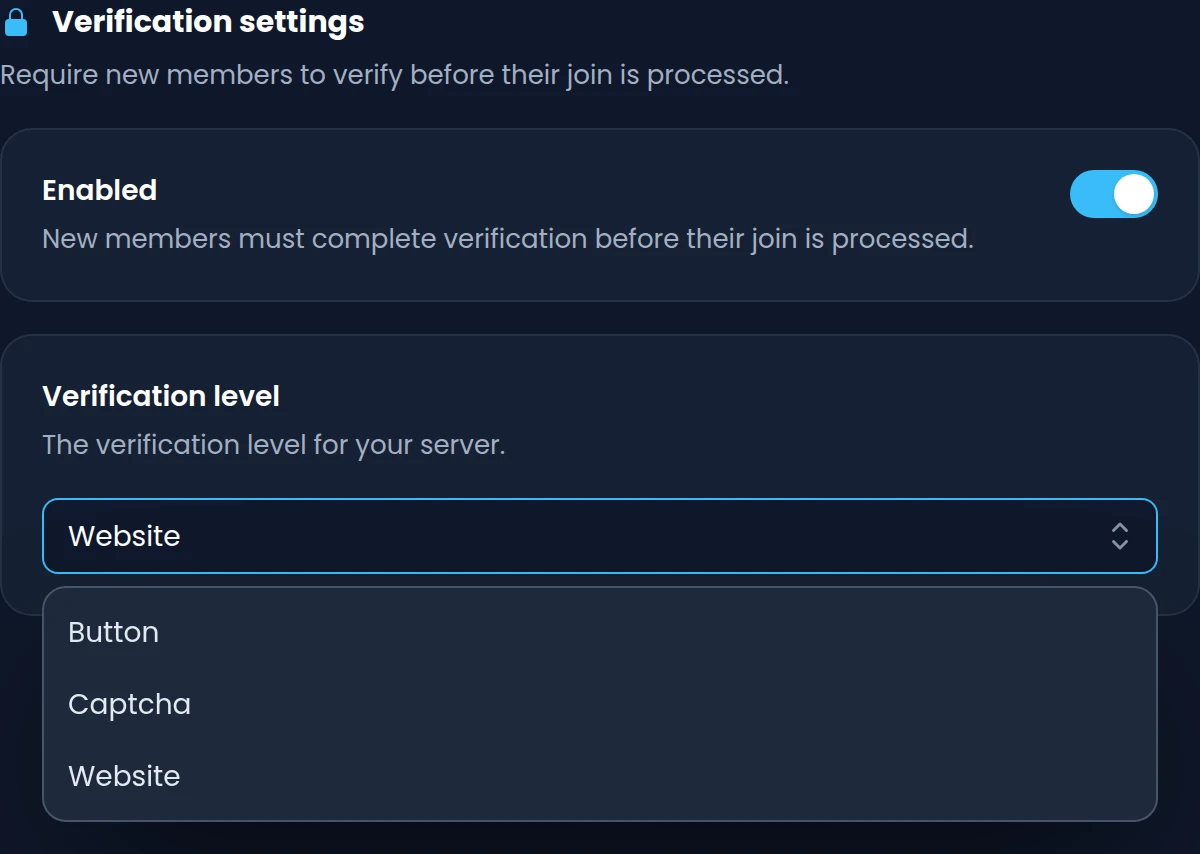
Choose how much new members have to prove. Every level starts from the same Verify button and answers in a message only that member sees, so closed DMs never get in the way.
- Button: one click on Verify and the member is in.
- Captcha: the member types the text from a distorted image and gets 3 tries.
- Website: an hCaptcha check on invite-tracker.com, solved in the member's browser.
- Panels sent by Invite Tracker remind members to only verify on invite-tracker.com.
Roles and timeouts that fit your server
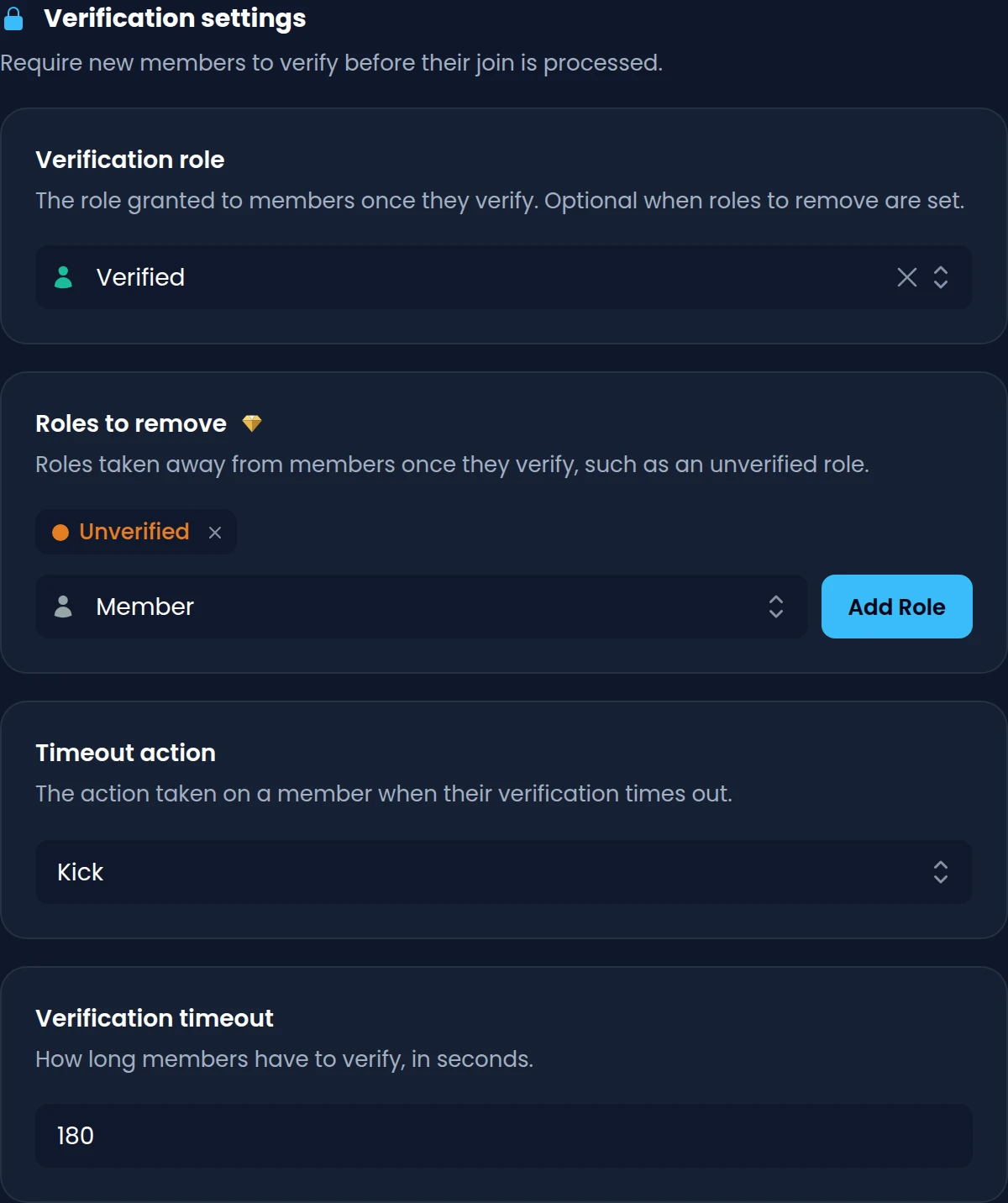
Give a role when members verify, take away an Unverified role with Premium, and decide what happens to anyone who never verifies. A member's join only counts once they pass.
- Your verification role and auto roles are given the moment a member verifies.
- With Premium, remove up to 10 roles on verification, such as Unverified.
- Members get between 15 and 1800 seconds to verify, 180 by default.
- Members who time out or fail the captcha are kicked, banned or left alone.
A verification panel in your server's style
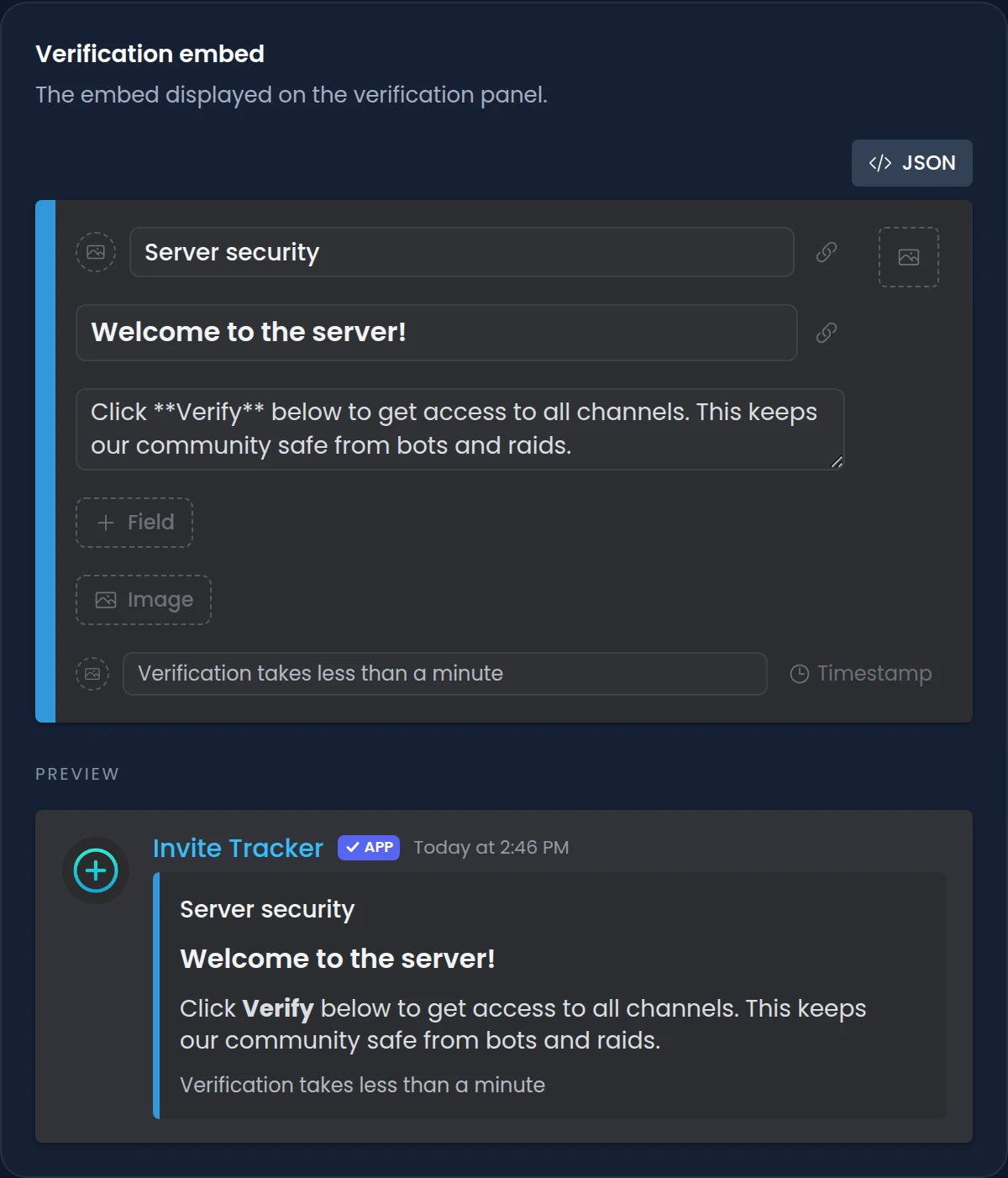
Out of the box, the panel shows a Verification Required embed. With Premium, you write your own in the dashboard's embed editor and watch a live preview as you type.
- Set the title, description, fields, author, images, footer and color.
- The preview shows the panel the way members will see it in Discord.
- Paste embed JSON from another tool, or copy yours out as JSON.
- Click Send verification panel to post the new design in your channel.
Commands
/forceverify <user>Verifies a pending member by hand, giving their roles and processing their join./lockdown start [duration]Starts a raid lockdown that can make every new joiner verify, captcha at minimum, while it lasts. Premium/verifyResends your captcha or link by DM, only on servers still using the older DM verification.
Free and Premium
Free
- Button, captcha and website (hCaptcha) verification levels
- A verification panel with the default Verification Required embed
- A verification role given the moment members verify
- Kick, ban or no action for members who don't verify in time
- Verification logs and the /forceverify command
Premium adds
- Remove up to 10 roles, such as Unverified, on verification
- A custom embed on your verification panel
- Forced verification for new joiners during a raid or a /lockdown
Frequently asked questions
How do I set up a verification bot on Discord?
Add Invite Tracker to your server and open Verification in the dashboard. Turn on Enabled, pick a verification level, a verification role and a panel channel, save, then click Send verification panel. New members verify from that panel.
Does Invite Tracker have captcha verification?
Yes. With the Captcha level, members get a captcha image only they can see and type its text after clicking Enter captcha, with 3 tries. The Website level goes further with an hCaptcha check on invite-tracker.com, the level we recommend against bots and raids.
Do members need their DMs open to verify?
No. Members verify from the panel in your server. The captcha or the verification link appears in a message only they can see, so closed DMs don't stop anyone from verifying.
Do members who haven't verified count as invites?
No. Invite Tracker holds back a member's join until they verify: the invite isn't credited to their inviter, no join message is sent and no auto roles are given. Bots that join skip verification.
What happens to members who don't verify?
Your timeout action decides. Kick is the default, Ban is available, and No action leaves them unverified with no time limit so they can click Verify later. The timeout is 15 to 1800 seconds, and running out of captcha tries counts as a failed verification.
Can the bot remove an Unverified role when members verify?
Yes, with Premium. Pick up to 10 roles to remove, such as an Unverified role given by Discord's onboarding or another bot. Invite Tracker's highest role must be above them, and it needs the Manage Roles permission.
Related features
Raid protection
Raid alerts that name the invite behind a join surge, and a honeypot channel that catches spam bots.
Invite tracking
See who invited your new members, catch fake invites and find out which invite links bring people in.
Welcome & leave messages
Join, leave and DM messages that name the inviter, with welcome banners you design in the dashboard.
Discover Premium Perks
Why settle for the basics? Premium gets you 25 ticket panels, 50 giveaways at once, unlimited analytics history and fully custom welcome banners, from €4.99 a month.