Welcome messages
Greet every new member and thank whoever invited them
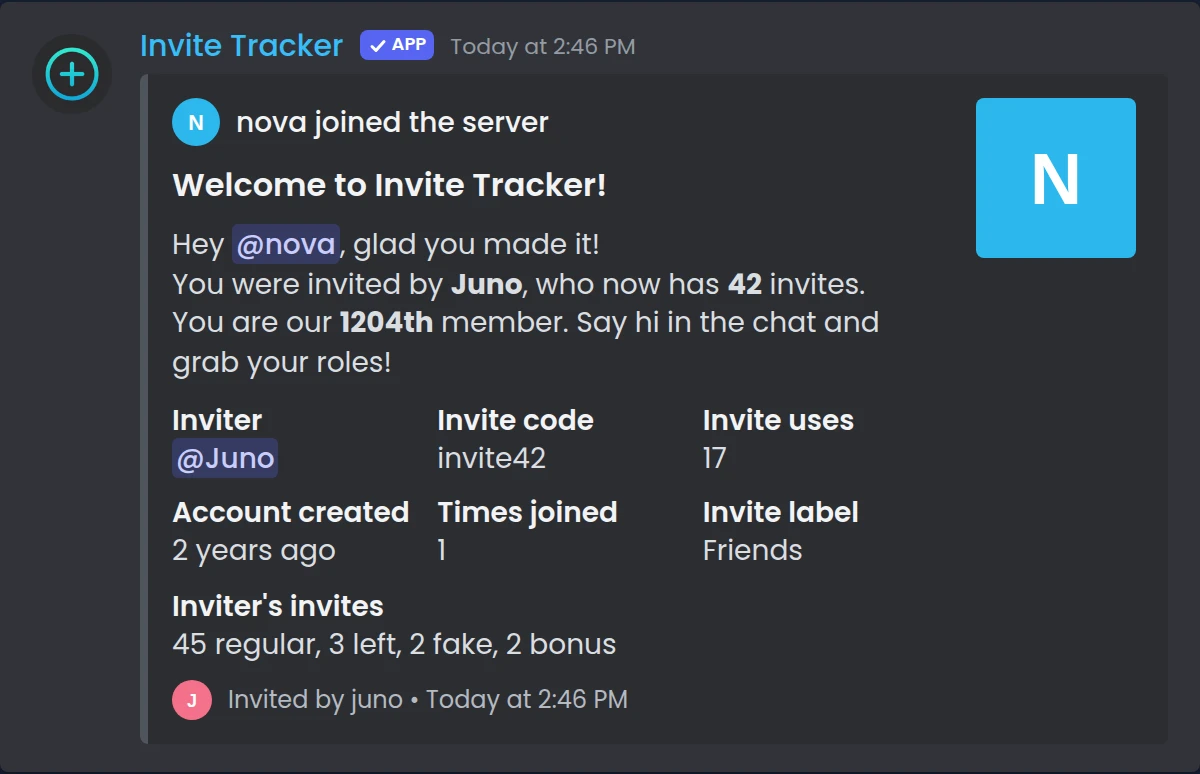
Invite Tracker posts a welcome message the moment someone joins, with their name, their inviter and that inviter's invite count. Add a welcome banner you design yourself, a goodbye when members leave and a private DM for every newcomer.
Free to use, and already running in over 2 million servers.

Welcome
Nova
You're our 3,215th member!
Join message
What it does
Join messages
Post a message in the channel you choose every time someone joins. Invite Tracker can also react to each one with an emoji you pick.
Leave messages
Say goodbye in a channel when a member leaves, with who had invited them and when they had joined your server.
Join DM messages
Send every new member a private message with your rules or a first step. It comes with a button showing which server sent it.
Variables for every detail
Fill in the member's name, mention and avatar, the inviter and their invite counts, the invite code used and your member count.
Welcome banners
Design a 1200 × 400 image with the member's avatar, your own pictures and text, and send it with every join message.
Rich embeds
Send join and leave messages as embeds with a title, fields, images, a footer and a color, built in an editor with a live preview.
How it works
- 1
Add Invite Tracker
Add the bot to your server, run /setup and pick a channel. Join messages turn on with the default message and a sample is posted right away.
- 2
Write your messages
Open Join messages, Leave messages or Join DM messages in the dashboard. Pick a message type, edit the text and type % to list the variables.
- 3
Test it in Discord
Save, then click Test message. Invite Tracker sends your saved message to the channel, with you as the new member and the bot as the inviter.
Thank the member who sent the invite
Invite Tracker knows which invite each member used, so your welcome message can name who brought them in. The default join message already does it: it mentions the new member, names the inviter and shows their new invite count.
- Inviter variables for the name, mention, avatar and every invite count
- Invite variables for the code used, its number of uses and its invite label
- Member variables for account age, join date and how many times they joined
- Up to 2000 characters per message, with Discord markdown and timestamps
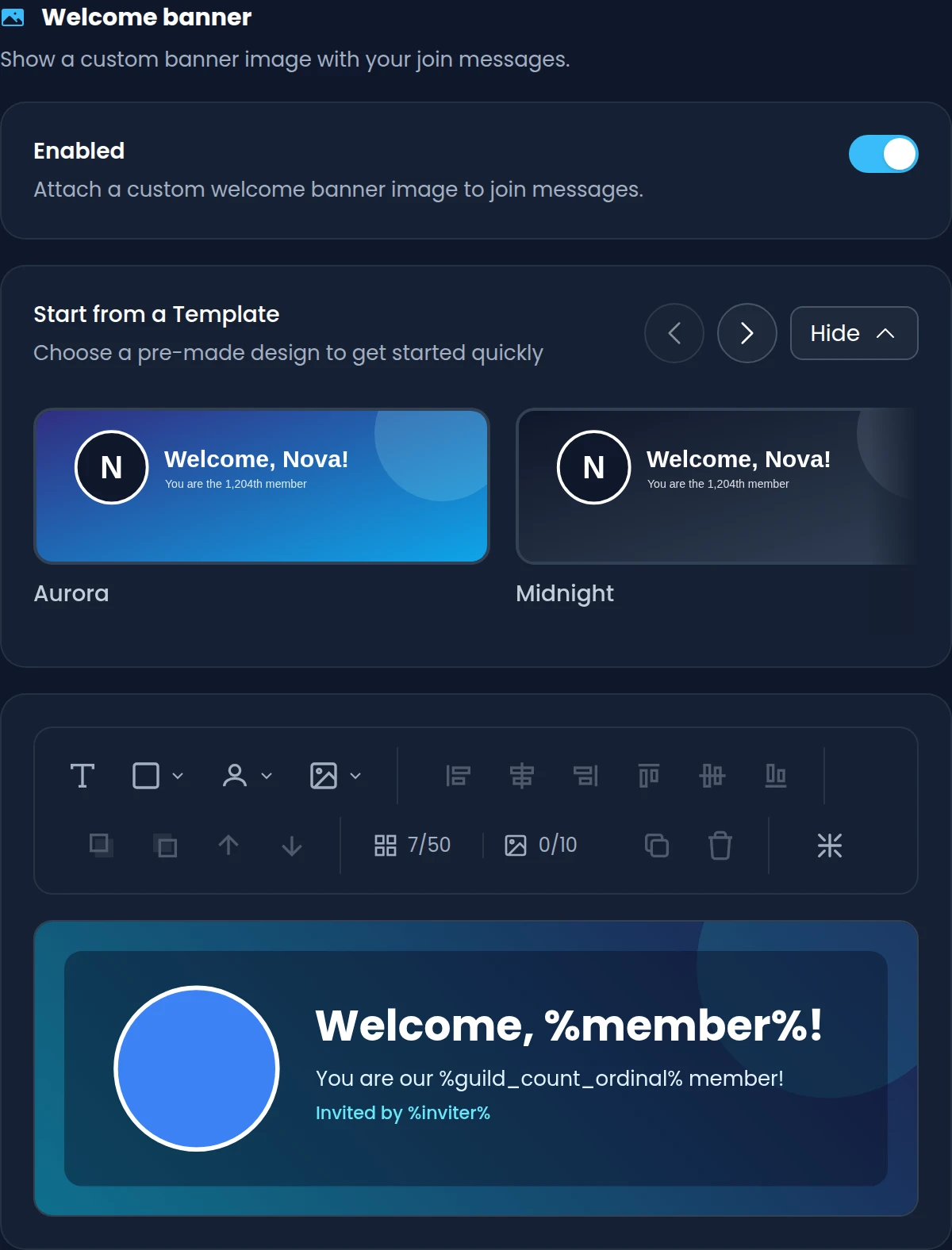
Welcome banners you design yourself
Build a banner on a 1200 × 400 canvas from text, shapes, images and avatar placeholders, or start from a template. When someone joins, Invite Tracker fills in their avatar and your variables and sends the image with the join message.
- Placeholders for the member's avatar, the inviter's avatar and your server icon
- Templates to start from, then drag, resize, align, lock and layer every element
- Free: the Normal banner with 6 elements, 1 image, rectangles and 8 fonts
- Premium: every banner type, 50 elements, 10 images, all fonts and gradients
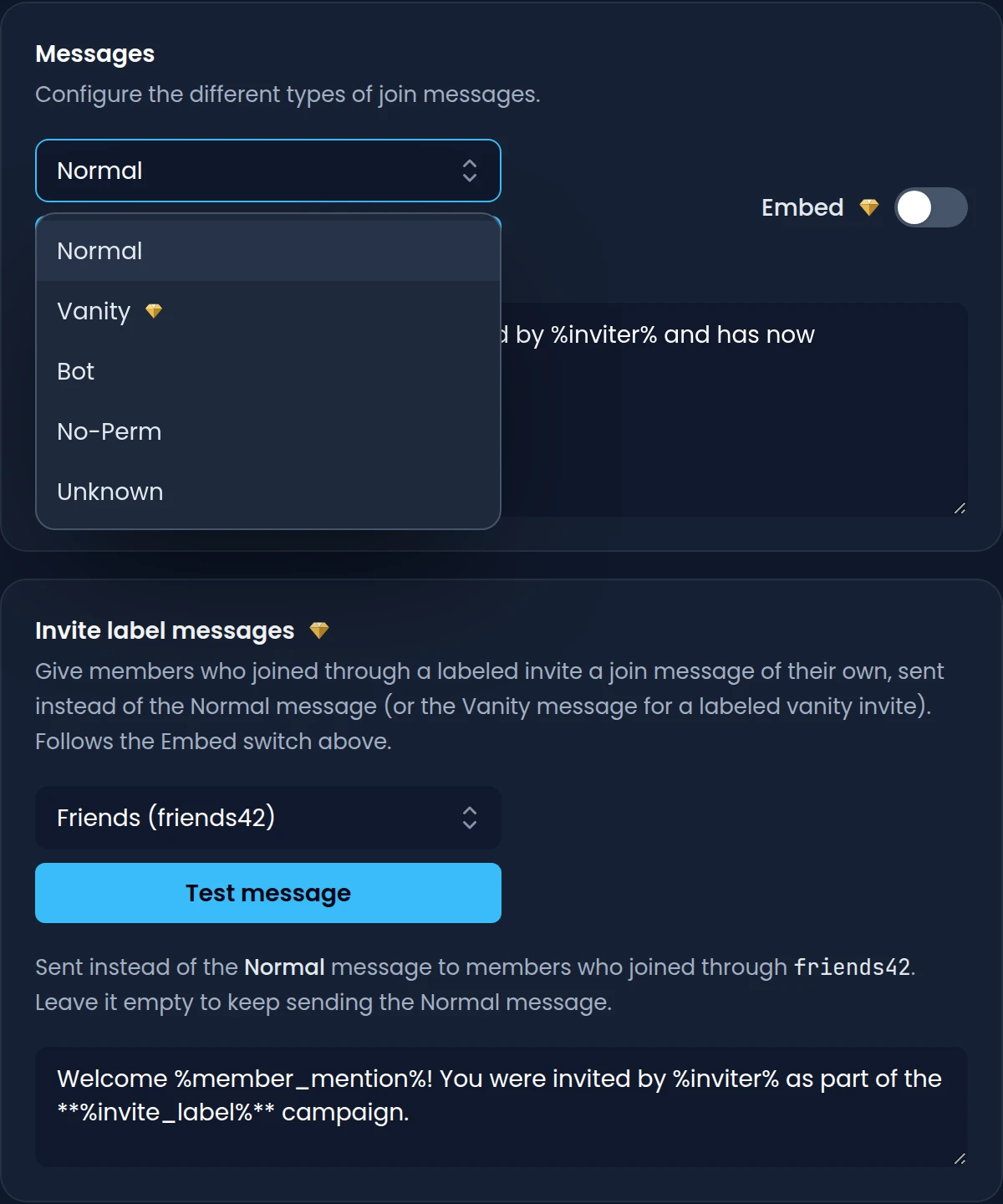
A different message for every way in
Invite Tracker picks the join or leave message that matches how the member arrived. Normal covers regular invites, and Vanity, Bot, No-Perm and Unknown cover the rest. With Premium, each invite label can have a message of its own.
- Normal: the member used a regular invite, so the inviter is known
- Vanity: the member joined through your vanity URL, with your own text on Premium
- Bot, No-Perm and Unknown: a bot was added, or the bot couldn't tell how they joined
- Invite label messages replace the Normal or Vanity message for one invite on Premium
Commands
/setupOpens the setup panel, where picking a channel turns on join messages and posts a sample./check-permissions [channel]Shows which permissions the bot has and misses in a channel, such as your welcome channel.
Free and Premium
Free
- Join and leave messages for the Normal, Bot, No-Perm and Unknown types
- A join DM message for every new member
- Every member, inviter, invite and server variable
- A Normal welcome banner with 6 elements, 1 image and 8 fonts
Premium adds
- Rich embeds for join and leave messages
- Your own message for members who join through your vanity URL
- A join and a leave message for each invite label
- Every banner type, with up to 50 elements, 10 images and all fonts
- Circles, triangles, gradients, text rotation and image blur on banners
Frequently asked questions
Can a Discord welcome message show who invited the new member?
Yes. The default join message mentions the new member, names their inviter and shows the inviter's new invite count. You can also use the inviter's mention, avatar and their regular, left, fake and bonus invites. These are filled in when the member used a regular invite, the Normal message type.
Does it work with vanity URLs?
Yes. Members who join through your vanity URL get the Vanity message, which can show the vanity code. A vanity URL has no inviter, so inviter details aren't available there. Without Premium the default Vanity message is sent, and Premium lets you write your own.
Are welcome banners free?
Yes. Every server can design a banner for the Normal join message with up to 6 elements, 1 image, rectangles, avatar placeholders and 8 fonts. Premium adds the other banner types, up to 50 elements and 10 images, all fonts, circles, ellipses, triangles, gradients, text rotation and image blur.
Can I send welcome messages as embeds?
Yes, with Premium. Turn on the Embed switch to edit the author, title, description, up to 25 fields, image, thumbnail, footer, timestamp and color, with a live preview next to the editor. Without Premium, join and leave messages are sent as text.
Can the bot send new members a welcome DM?
Yes. Join DM messages are text messages of up to 2000 characters, with the same variables as join messages. There is no default one, so nothing is sent until you write it. Members who don't accept direct messages from server members won't receive it.
Why isn't my welcome message showing up?
Check that join messages are enabled and have a channel on the Join messages page. Then run /check-permissions with that channel: the bot needs to see it and send messages there, and to attach files when you use a banner. The Test message button sends your saved message so you can check.
Related features
Invite tracking
See who invited your new members, catch fake invites and find out which invite links bring people in.
Verification
New members click Verify and pass a button, captcha or hCaptcha check before they get access.
Raid protection
Raid alerts that name the invite behind a join surge, and a honeypot channel that catches spam bots.
Discover Premium Perks
Why settle for the basics? Premium gets you 25 ticket panels, 50 giveaways at once, unlimited analytics history and fully custom welcome banners, from €4.99 a month.