Raid protection
Catch raids early and trap spam bots in seconds
Invite Tracker watches how fast members join and how new their accounts are, then alerts your team with the invite the raid came through. A honeypot channel catches spam bots on their first message and clears out what they posted.
Free to use, and already running in over 2 million servers.

🚨 Possible raid detected
48 members joined within the last minute and 87% of them have accounts younger than 7 days.
Suspicious invites
x7Kp2Q created by @Ivy · 41 joins
Response
• Server invites are paused for 30 minutes
• Young accounts are kicked while the raid lasts
spam_bot_391 posted here and was banned before anyone saw the link.
What it does
Join surge detection
The alarm trips when members join faster than your threshold and most of them have young accounts, so a busy event doesn't set it off.
Alerts with the invite
Each alert shows how many members joined in the last minute, how many are young accounts and which invites they used, with who created each one.
Automatic response
Pause invites, force verification, kick young accounts and stop invite crediting within seconds of a raid, without waiting for an admin.
Manual lockdown
Run /lockdown start before an announced event or the moment you spot trouble. Invites and invite crediting stay paused until it lifts.
Honeypot trap channel
A visible channel no real member posts in. Spam bots that flood every channel post there and are removed within seconds, with their recent messages.
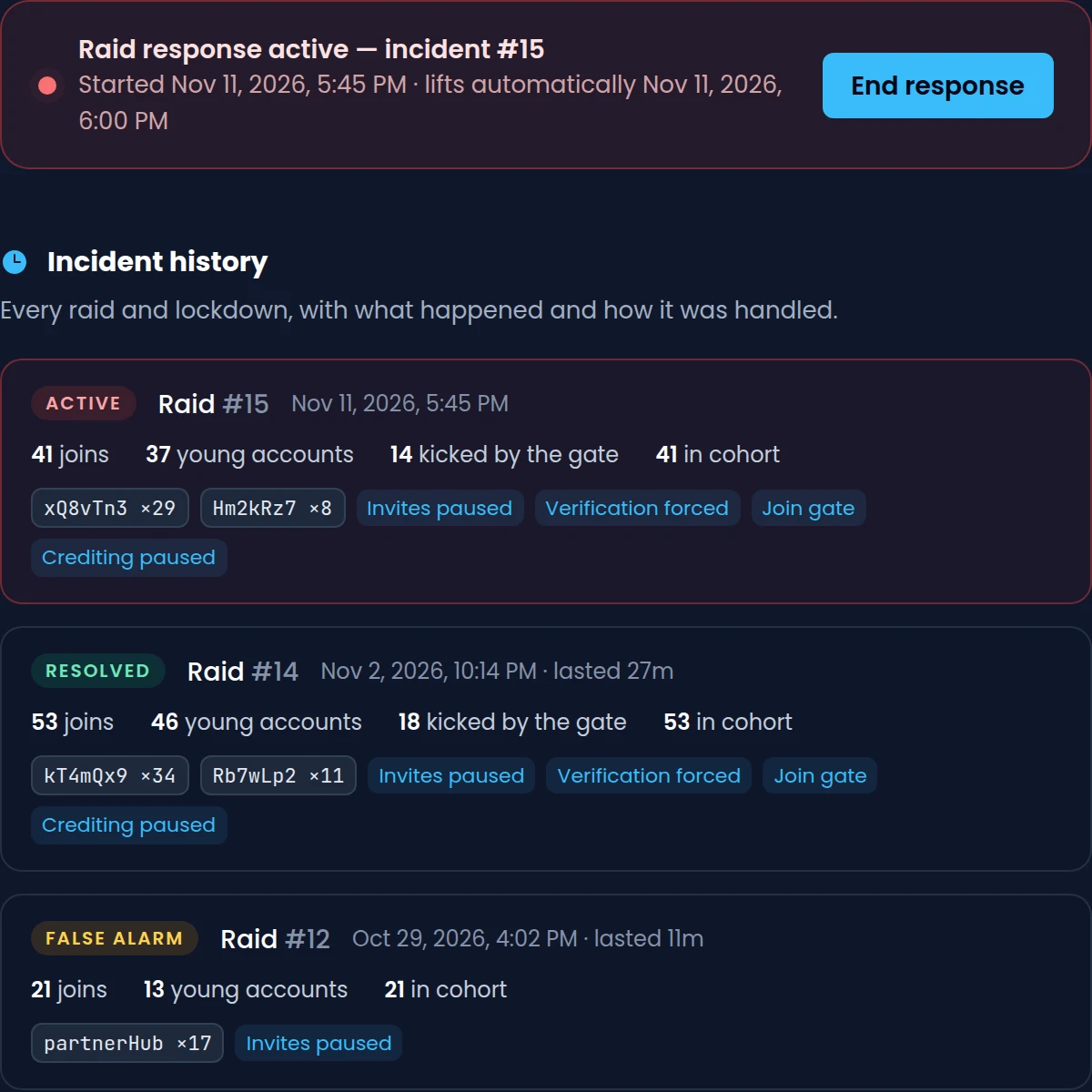
Incident history
Every raid and lockdown is listed with its join counts, top invites and the actions taken, and every honeypot catch keeps the message as evidence.
How it works
- 1
Turn on raid protection
Add Invite Tracker, open Raid Protection on the dashboard, turn on Enabled and pick the alert channel your moderators watch.
- 2
Set up a honeypot
On the Honeypot page, pick a trap channel or press Create #honeypot. The bot pins a warning so honest members stay out.
- 3
Respond from the alert
When a raid trips, the alert lands in your channel with response buttons. With Premium, the actions you picked run on their own.
Raid alerts that name the invite
Invite Tracker counts every join and checks how old each account is. When a wave of new accounts arrives, it posts an alert to your alert channel with the invites the raiders used, so you know which link to shut down.
- By default, it trips at 10 joins in a minute when 60 percent are accounts under 7 days old
- Five young accounts joining within 10 seconds trip the alarm right away
- Pause invites and False alarm buttons on every alert, free for every server
- A summary with the final join counts and top invites when the response ends
A raid response that runs without you
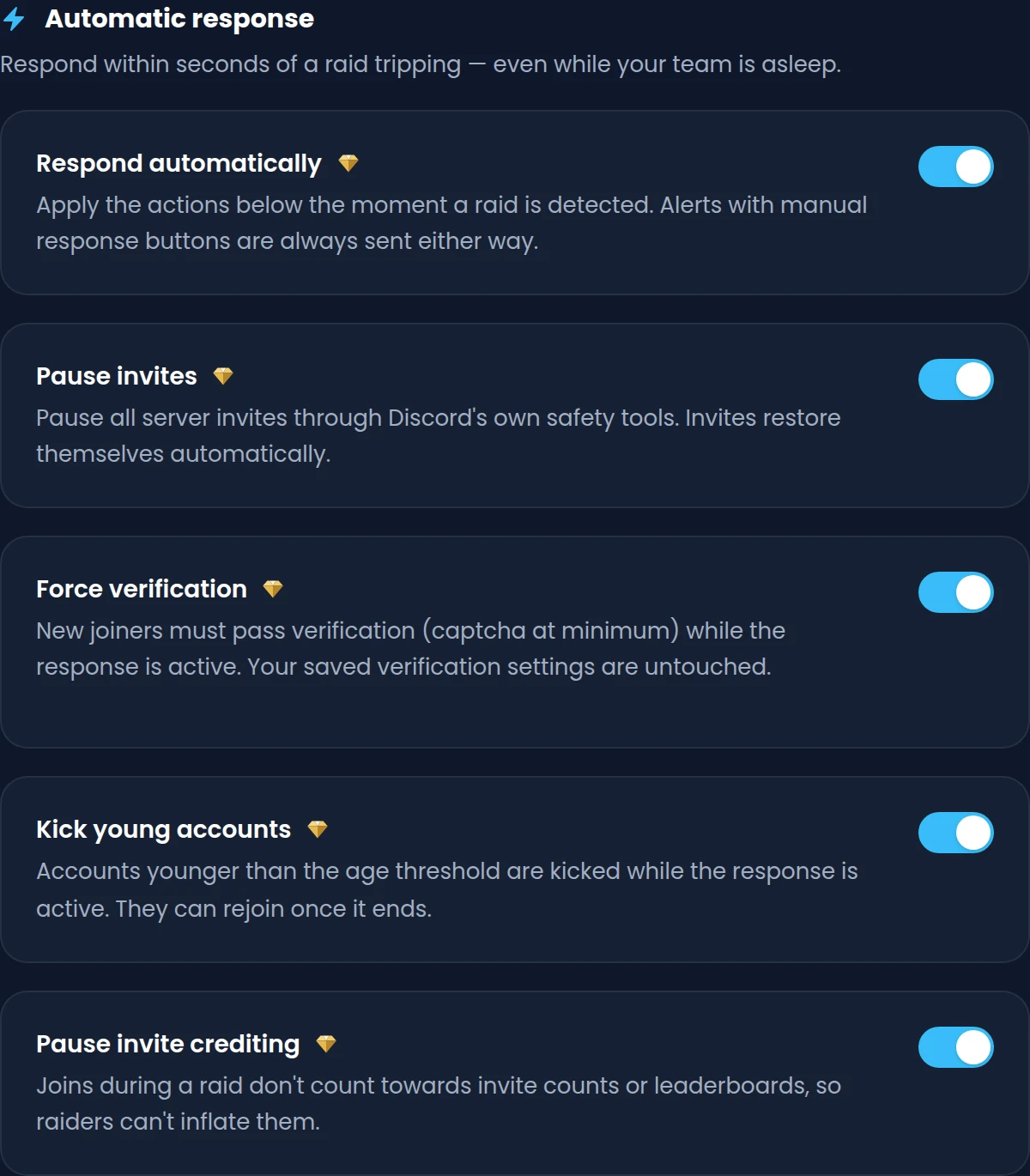
With Premium, turn on Respond automatically and pick what happens when a raid trips. The actions apply within seconds, the alert still comes with its buttons, and each one lifts on its own.
- Pause invites through Discord's own safety tools, from 10 minutes up to 24 hours
- Force verification on new joiners without touching your saved verification settings
- Kick accounts younger than your age threshold while the response is active
- Pause invite crediting so raiders can't inflate invite counts or leaderboards
A honeypot channel that catches spam bots
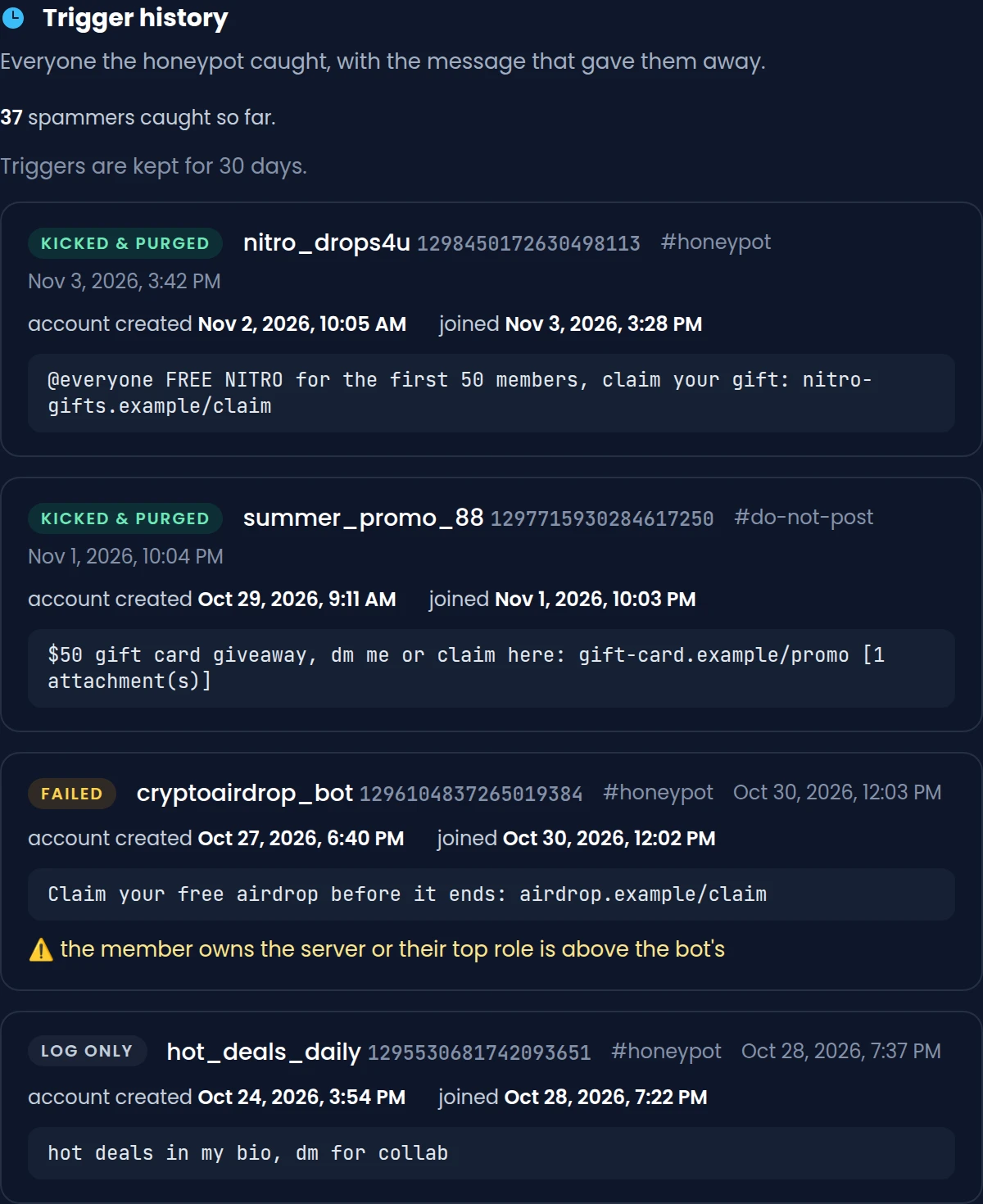
Spam bots post in every channel they can see, including one nobody else uses. Anyone who posts in your trap channel is punished within seconds and reported to your log channel with the message that gave them away.
- Kick & purge messages by default, so a wrongly caught human can simply rejoin
- Premium adds Ban, Timeout and Log only, and up to 5 trap channels
- A pinned warning in every trap channel tells honest members not to post there
- Admins, members with Manage Server and your exempt roles are never punished
Commands
/lockdown start [duration]Locks the server down now: pauses invites and invite crediting and applies your response actions. Premium/lockdown endEnds the active lockdown or raid response early and restores paused invites. Premium/massban <@user | invite_code>Bans everyone who joined with an invite code, or everyone a user invited, after you confirm. Premium/check-permissions [#channel]Checks that the bot has Kick Members, Ban Members, Manage Server and the rest of what it needs.
Free and Premium
Free
- Raid detection and alerts with the default thresholds
- Pause invites and False alarm buttons on every raid alert
- 1 honeypot trap channel that kicks spam bots and purges their messages
- Up to 3 exempt roles and 3 exempt members on the honeypot
- 3 days of raid incident history
Premium adds
- Your own joins per minute, account age, ratio and response duration
- Automatic response: invite pause, verification, young account kicks
- /lockdown, /massban and one-click raid cohort bans and kicks
- Up to 5 trap channels, any punishment, a custom warning and a ping role
- Raid incident history kept forever, honeypot catches for 30 days
Frequently asked questions
How does Invite Tracker detect a raid on Discord?
It counts the members who join each minute and checks how old their accounts are. By default, the alarm trips at 10 joins in one minute when at least 60 percent come from accounts younger than 7 days. Five young accounts joining within 10 seconds trip it right away. Premium servers can change the thresholds.
Will a big event or a partnership trigger a false raid alarm?
Usually not, because a join spike alone isn't enough: most of the joins also have to come from young accounts, and established accounts arriving from an event don't count. If an alert still trips, press False alarm to lift the response and restore paused invites.
What is a honeypot channel on Discord?
It's a visible text channel that no real member has a reason to post in. Spam bots post in every channel they can see, so they post there too. Invite Tracker punishes anyone who does within seconds and reports it to your log channel.
Can the honeypot punish a real member by mistake?
Each trap channel has a pinned warning, and the default punishment is a kick that lets a human rejoin. Admins, members with Manage Server and your exempt roles and members are never punished. If several long-standing members post in the trap within minutes, the honeypot pauses itself and tells you.
Is raid protection free?
Raid detection, raid alerts with the Pause invites and False alarm buttons, and one honeypot trap channel are free for every server. Custom thresholds, the automatic response, the Kick young joiners, Raise verification and Ban raid cohort buttons, /lockdown and /massban are part of Premium.
Which permissions does the bot need for raid protection?
Kick Members, Ban Members and Manage Server to kick, ban and pause invites, plus Timeout Members for honeypot timeouts and Manage Messages to clean up. Its role must be above the members it acts on. Run /check-permissions to see what's missing.
Related features
Verification
New members click Verify and pass a button, captcha or hCaptcha check before they get access.
Invite tracking
See who invited your new members, catch fake invites and find out which invite links bring people in.
Leaderboards
Invite and message leaderboards in Discord, pinned in your channels or published on the web.
Discover Premium Perks
Why settle for the basics? Premium gets you 25 ticket panels, 50 giveaways at once, unlimited analytics history and fully custom welcome banners, from €4.99 a month.