Invite tracking
Know who brings new members to your server
Invite Tracker matches new members to the invite link they used and the member who created it. It flags fake accounts, notices when invited members leave, and shows you which links your new members come from.
Free to use, and already running in over 2 million servers.

Kira
Top inviter · Pixel Forge
214
invites
- Regular
- 205
- Bonus
- +24
- Left
- −11
- Fake
- −4
What it does
Who invited each member
Each join through an invite link is matched to that link and the member who created it. Joins through your vanity URL and bots are recorded as such.
Fake invites flagged
Accounts younger than your fake delay, members using their own invite and, if you choose, rejoining members count as fake and add nothing to the total.
Four kinds of invites
Each member has regular, left, fake and bonus invites. Their total is regular plus bonus, minus left and fake, and admins can add bonus invites with a command.
Invite logs
Post a message in a channel when an invite is created or deleted: its code, channel, creator, uses and expiry, and who deleted it when the bot can tell.
Exclusions for staff
Blacklist members whose invites shouldn't count, or hide them from the invite leaderboard while they keep their invites. With Premium, blacklist whole roles too.
Automatic growth reports
Get your joins, leaves, net growth and top inviters posted in a channel every month, or every week with Premium.
How it works
- 1
Add Invite Tracker
Add the bot to your server. It reads your invite links right away, so the next member who joins is matched to the invite they used.
- 2
Set your counting rules
On the Invite Tracking page of the dashboard, choose whether rejoins count, label your invite links and keep staff out of the counts.
- 3
Follow your growth
Members check their invites with /invites, the leaderboard ranks your inviters, and the Analytics page shows where your joins come from.
Find out which invite links work
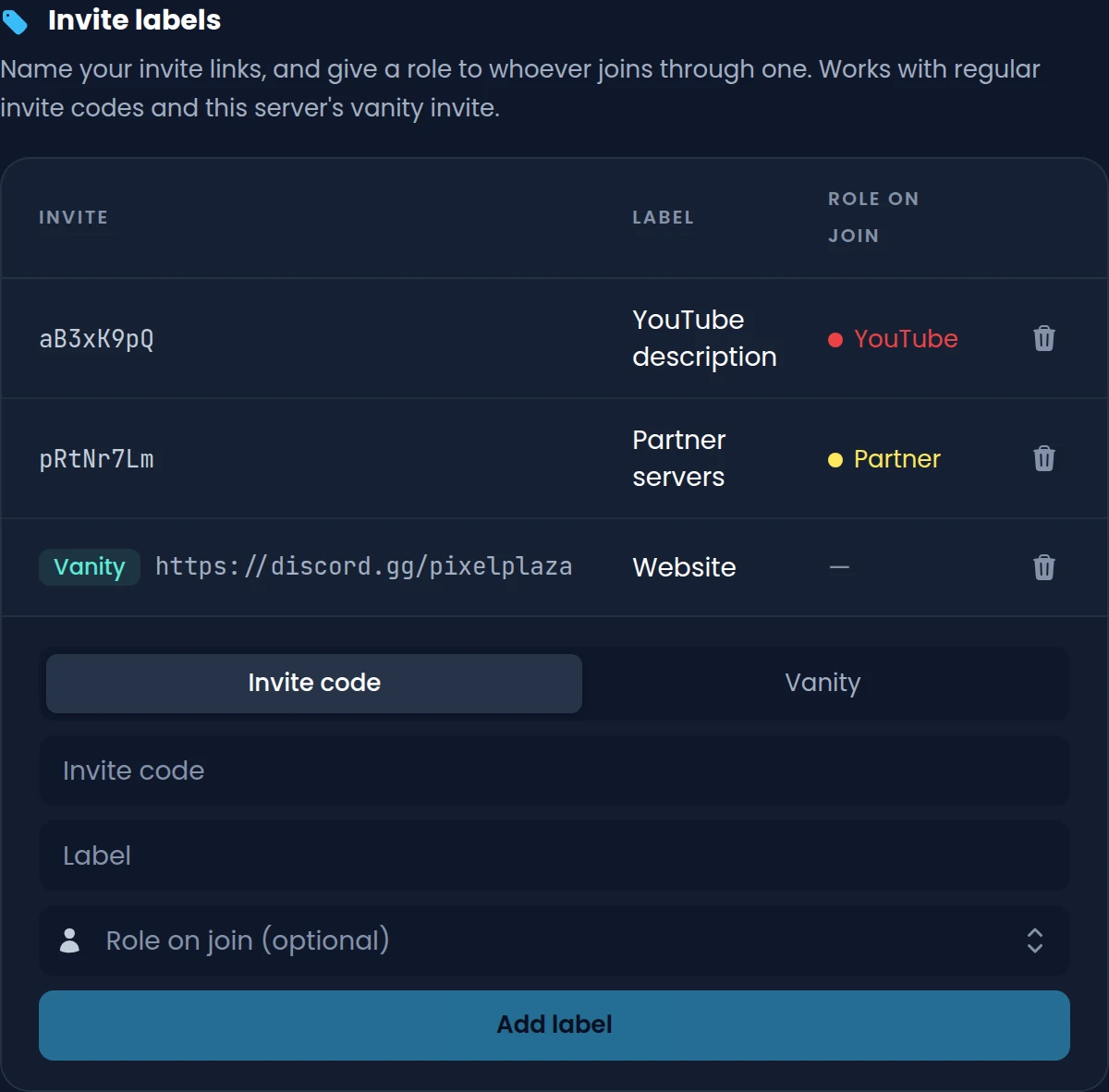
Give your invite links a label, like the one in your YouTube description or the one you share with partner servers. Invite Tracker counts the members each one brings in and can give them a role when they join.
- Label regular invite codes and your server's vanity invite
- Give a role to every member who joins through a labeled invite
- Show the label in your join, join DM and leave messages
- One label on the free plan, unlimited labels with Premium
Your server's growth on one page
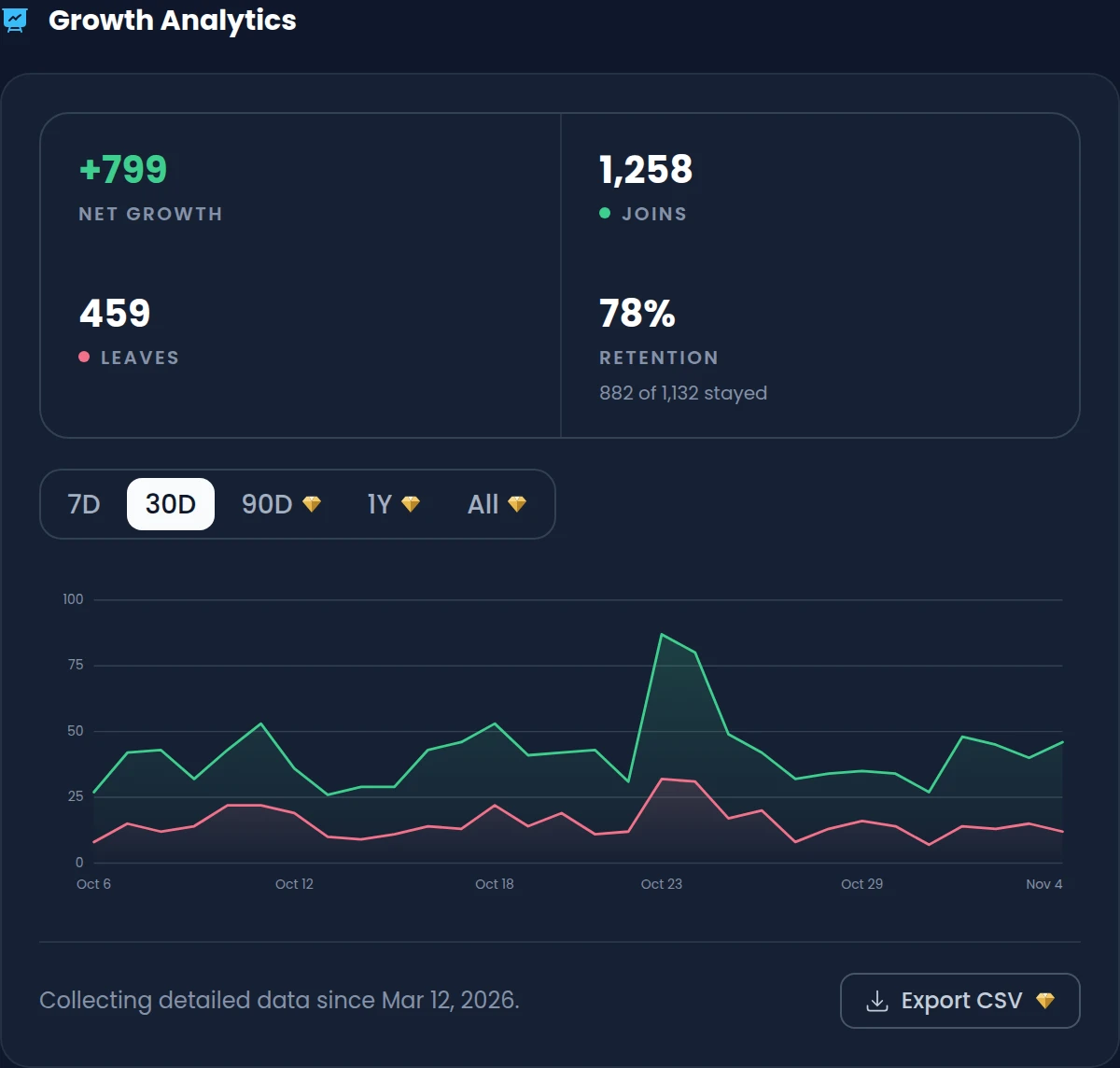
The Analytics page charts your daily joins and leaves and sums them up as net growth and retention. It also breaks joins down by source and lists the five invites that brought the most members.
- Net growth, joins, leaves and the share of new members who stayed
- Join sources: invite links, vanity URL, bots and unknown joins
- 7 and 30 day ranges for free, 90 days, a year and all time with Premium
- Export the join and leave events of a period as CSV with Premium
See whose invites actually stay
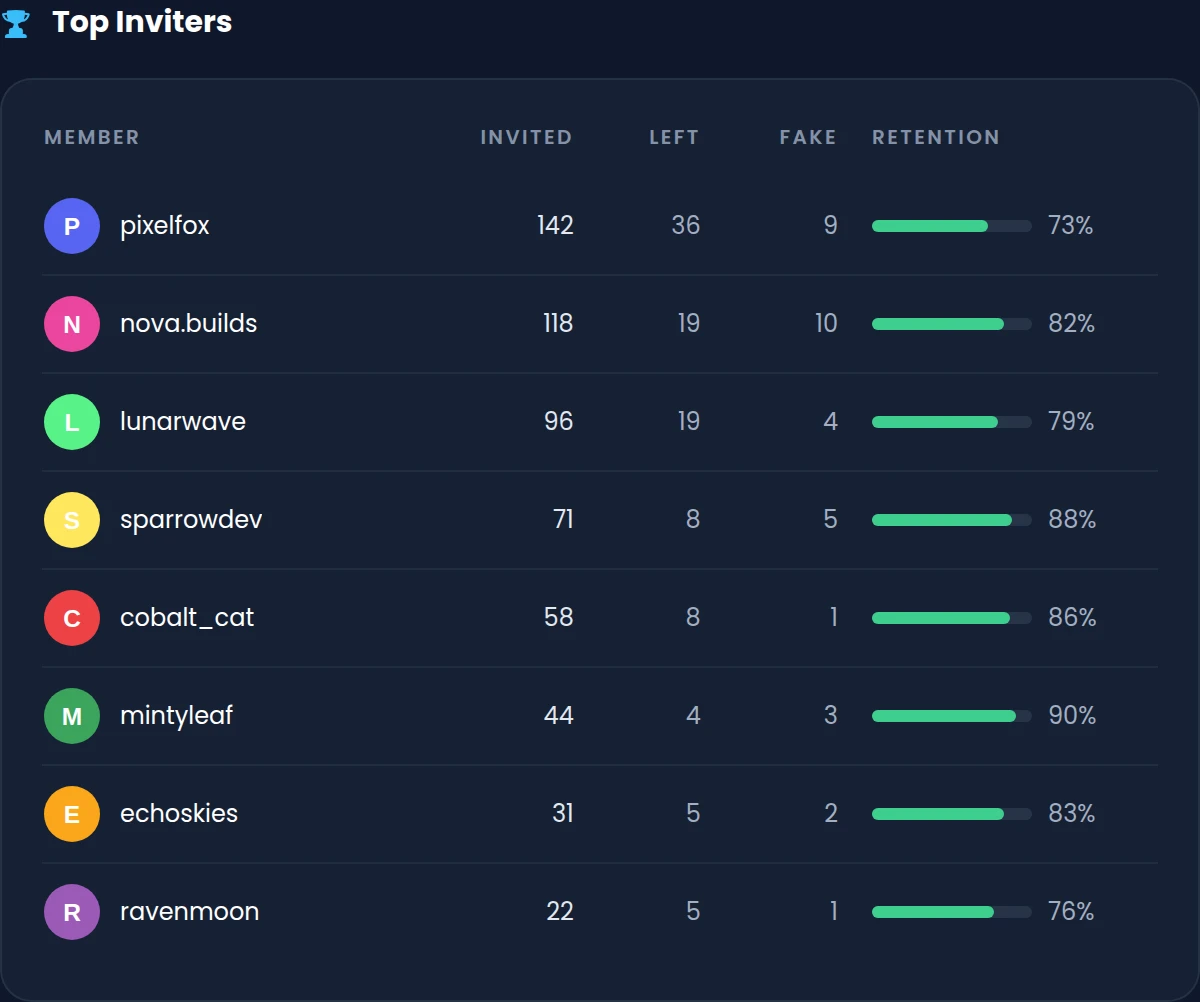
With Premium, Top inviters ranks the ten members who brought the most people in during the period you pick. Next to each one you see how many of them left, how many were fake and how many are still on your server.
- Invited, left and fake counts for each of your top 10 inviters
- A retention rate that shows who brings in members who stay
- Check who someone invited with /invitedlist, with join and account dates
- Weekly reports with retention, top invite links and a growth graph
Commands
/invites [user]Shows a member's total invites with their regular, left, fake and bonus counts./leaderboard invites [type] [role]Ranks your top inviters all time, daily or weekly, and monthly or by role with Premium./inviter <user>Shows who invited a member, or whether they joined through the vanity URL. Premium/invitedlist [user] [invite_label]Lists the members a user, an invite code or a label brought in, with join and account dates. Premium/invitecodes [user]Lists your invite codes and their uses. Admins can check another member's codes./addbonus <user> <amount>Adds bonus invites to a member. Take them back with /removebonus./syncinvites [user]Adds the uses of your current invite links to their creators' regular invites. Run it once.
Free and Premium
Free
- Who invited each member, with regular, left, fake and bonus invites
- Invite logs, /invites, the invite leaderboard and bonus invites
- One invite label, with a role for the members who join through it
- Growth analytics for the last 7 and 30 days
- A monthly growth report in the channel you choose
Premium adds
- Your own fake delay, from 0 to 300 days instead of 3
- Unlimited invite labels, and 100 blacklisted members instead of 3
- /inviter, /invitedlist, role blacklists and fake invite commands
- Top inviters, analytics history kept forever and CSV export
- Weekly reports with retention, top invite links and a growth graph
Frequently asked questions
Can I see who invited members who joined before the bot?
No. Invite Tracker learns who invited a member when it sees them join. To carry over older invites, run /syncinvites once: it adds the uses of your current invite links to their creators' regular invites. Running it a second time counts those uses again.
How does Invite Tracker detect fake invites?
A join counts as fake when the account is younger than your fake delay (3 days unless you change it with Premium), when a member joins through their own invite, or when they rejoin with Don't count rejoins turned on. The inviter gets a regular and a fake invite, so the join adds nothing to their total.
What happens when an invited member leaves?
Their inviter gets a left invite, which comes off their total. If that join had been flagged as fake, the fake invite is removed at the same time, so it isn't subtracted twice. The leave also shows up in your analytics.
Does it track joins through a vanity URL?
Yes. Joins through your vanity URL are recorded as vanity joins and counted on the Analytics page, but they aren't credited to any member. Give the vanity invite a label to name it and give a role to everyone who joins through it.
Why are some invites not counting?
Invite Tracker needs the Manage Server permission to read your invite links. Invites also don't count while the new member hasn't finished verification, when the inviter is blacklisted, or when the member joined through the vanity URL. Run /setup to check that tracking works.
Can Invite Tracker give roles for inviting people?
No. Rewarding members for invites goes against Discord's platform manipulation policy, so invite roles and invite requirements for giveaways are turned off. You can still give a role to the members who join through a labeled invite.
Related features
Welcome & leave messages
Join, leave and DM messages that name the inviter, with welcome banners you design in the dashboard.
Leaderboards
Invite and message leaderboards in Discord, pinned in your channels or published on the web.
Raid protection
Raid alerts that name the invite behind a join surge, and a honeypot channel that catches spam bots.
Discover Premium Perks
Why settle for the basics? Premium gets you 25 ticket panels, 50 giveaways at once, unlimited analytics history and fully custom welcome banners, from €4.99 a month.