Invite logger
Log every join, leave and invite link
Invite Tracker posts each new member with the invite they used and who invited them, names their inviter again when they leave, and logs every invite link created or deleted on your server.
Free to use, and already running in over 2 million servers.

Invite created
- Code:
pxl7Kq- Channel:
- #welcome
- Created by:
- @Kira
- Max uses:
- Unlimited
- Expires:
- Never
pxl7Kq, invited by Kira, who now has 215 invites.Invite deleted
- Code:
x9Qe2L- Uses:
- 34
- Deleted by:
- @Mara
- Label:
YouTube
What it does
Join logs with the inviter
Each new member is posted in the channel you choose with who invited them, the invite code they used and its number of uses. Joins through your vanity URL, bots and untraceable joins get messages of their own.
Leave logs
When a member leaves, the leave message names who had invited them, or says they came through your vanity URL, so you see which invites bring members who don't stay.
Invite link logs
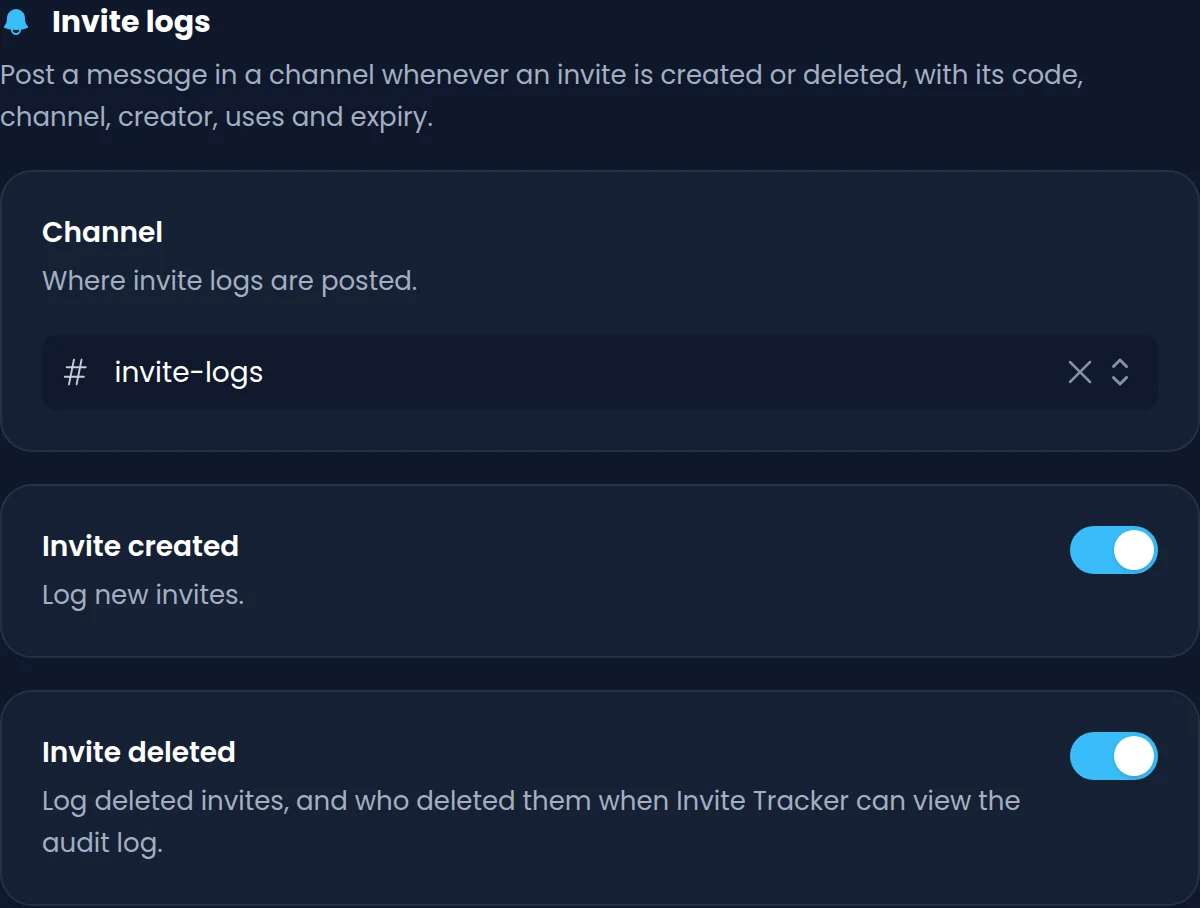
Every invite created or deleted on your server is posted with its code, channel, creator, uses and expiry, and with who deleted it when Invite Tracker can view the audit log.
Labels in your logs
Name your invite links, like YouTube or Partner servers, and put the label in your join, join DM and leave messages. Deleted invites show it too.
Staff audit log
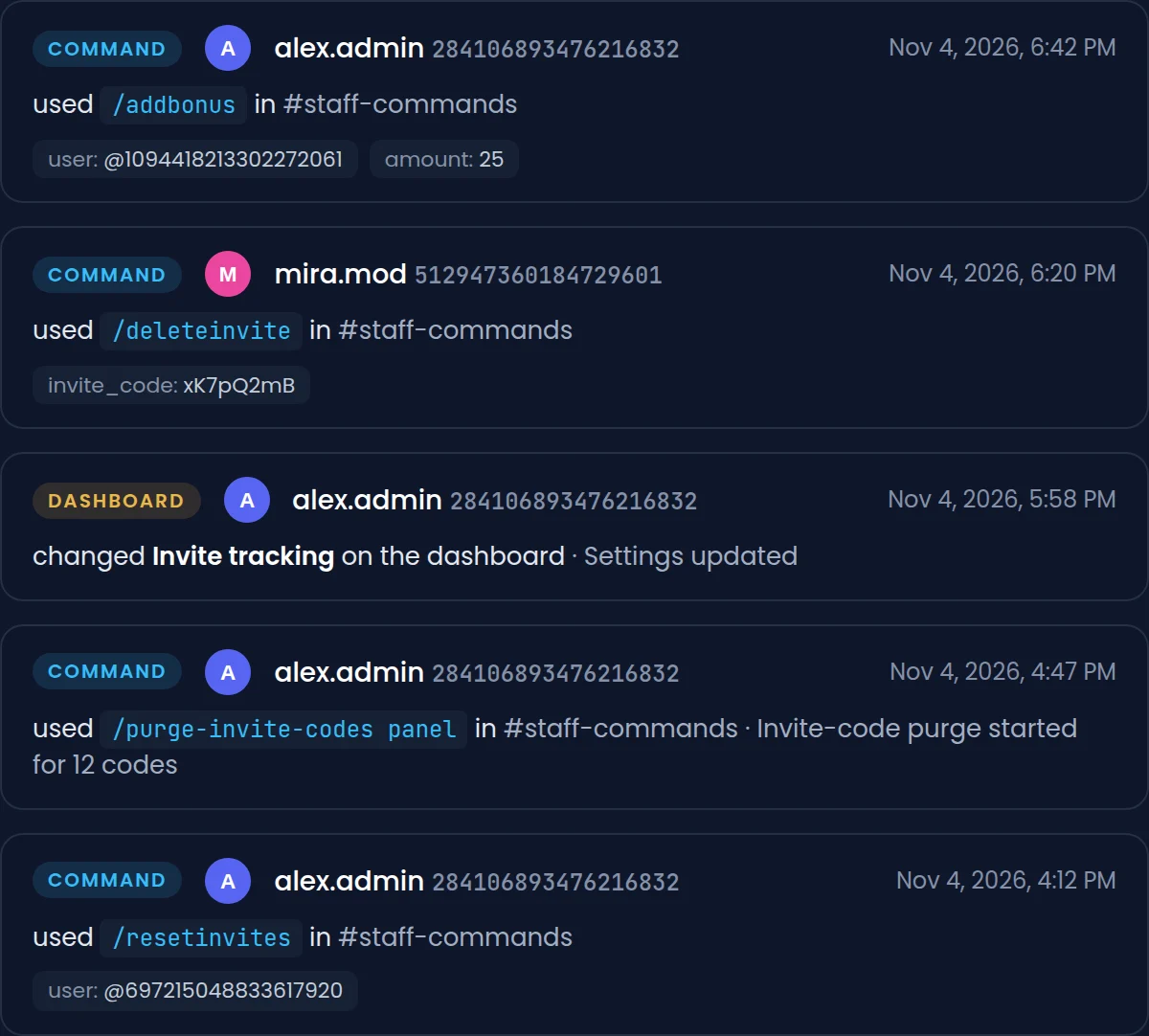
Commands that change invites, such as /addbonus or /resetinvites, and every change saved on the dashboard are recorded with who made them and when.
Look up any join
/inviter shows who invited a member, and /invitedlist lists who a member, an invite code or a label brought in, with join and account dates.
How it works
- 1
Add Invite Tracker
Add the bot to your server. It needs the Manage Server permission to read your invite links, and View Audit Log to show who deleted one.
- 2
Pick your log channels
On the dashboard, choose a channel for join messages, one for leave messages and one for invite logs. They can all be the same staff channel.
- 3
Watch your server
Every join, leave and invite change is posted as it happens, and the Audit Log page shows what your staff changed.
Every invite link, created or deleted
Turn on invite logs and Invite Tracker posts a message each time someone creates or deletes an invite. When invites are deleted in bulk, they're grouped together instead of flooding the channel.
- New invites with their code, channel, creator, max uses and expiry
- Deleted invites with their channel, creator, uses and label
- Who deleted each invite and why, or that it ran out of uses, with View Audit Log
- Bulk deletions grouped together, up to 15 invites per message
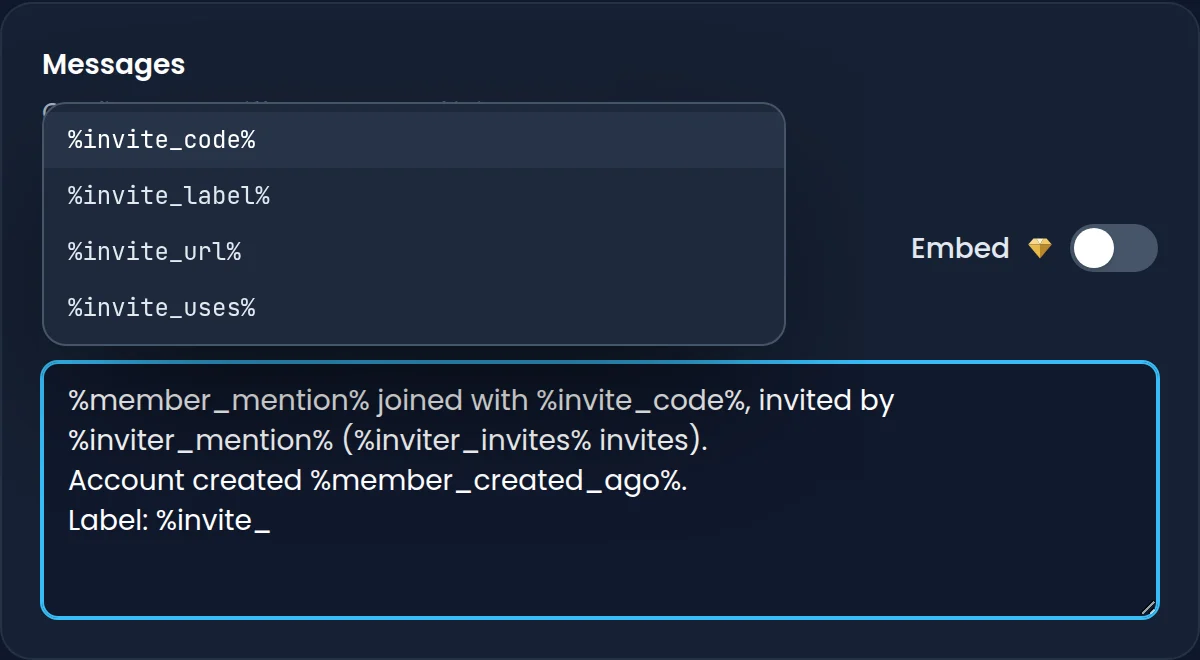
Join and leave logs that name the inviter
Write your join and leave messages with variables, and each one shows who the member is, who invited them and which invite they used. New members can also get a message of their own by DM.
- The inviter's name, mention and invite counts
- The invite code, its number of uses and its label
- The member's account age, to spot brand-new accounts
- Plain text for free, embeds and your own Vanity message with Premium
See who changed invites
The Audit Log page records every command that changes something, like /addbonus, /resetinvites or /deleteinvite, and every change saved on the dashboard, with the member who made it. When someone's invites jump overnight, you know why.
- Commands with the member, the channel and the options they used
- Dashboard changes with who saved them and on which page
- The last 24 hours for free, 90 days with Premium
- Filters, CSV export and a log channel with Premium
Commands
/inviter <user>Shows who invited a member, or whether they joined through the vanity URL. Premium/invitedlist [user] [invite_code] [invite_label]Lists who a member, an invite code or a label brought in, with join and account dates. Premium/userinfo [user]Shows a member's account and join dates, and who invited them on Premium servers./invitecodes [user]Lists invite codes and their uses. Admins can check another member's codes./deleteinvite <invite_code>Deletes an invite code. The audit log records who ran it./purge-invite-codes [maximum-uses]Deletes invite codes in bulk, filtered by uses, creator or channel. Invite logs group them, up to 15 per message.
Free and Premium
Free
- Join, join DM and leave messages with the inviter and the invite used
- Invite created and deleted logs, with who deleted each invite
- One invite label, for your messages and invite logs
- The audit log of the last 24 hours
Premium adds
- Embeds for join and leave messages, and your own Vanity message
- Unlimited invite labels, each with its own join and leave message
- /inviter, /invitedlist and the inviter in /userinfo
- 90 days of audit log with filters, CSV export and a log channel
- CSV export of every join and leave, with the inviter and invite code
Frequently asked questions
What's the difference between an invite logger and an invite tracker?
An invite logger records each join with the invite that was used and who created it. An invite tracker goes one step further and adds those joins up into invite counts and leaderboards. Invite Tracker does both, so your logs and your members' invite counts come from the same joins.
Can an invite logger see members' IP addresses?
No. Discord never shares IP addresses with bots, so no invite logger can log them. Invite Tracker only sees what Discord gives every bot: the invite a member used, who created it, and the member's public profile, such as their account age.
Why doesn't my log show who deleted an invite?
Discord only tells bots who deleted an invite through your server's audit log. Give Invite Tracker the View Audit Log permission and deleted invites show the member who deleted them and their reason. Without it, deletions are still logged, just without the member.
Why does a join message say the bot can't tell who invited someone?
Usually Invite Tracker is missing a permission: it needs Manage Server to read your invite links, and access to the channel each invite points to. More rarely, several members joined at the same moment or the bot had just restarted. Run /setup to check that tracking works.
Is the invite logger free?
Yes. Join, join DM and leave messages, invite created and deleted logs, one invite label and the last 24 hours of the audit log are free on every server. Premium adds embeds, unlimited labels, the /inviter and /invitedlist lookups and 90 days of audit log.
Does it log joins through a vanity URL?
Yes. Joins through your vanity URL get the Vanity message instead of the Normal one, and so do joins from Server Discovery, since Discord doesn't tell the two apart. Writing your own Vanity message needs Premium.
Related features
Invite tracking
See who invited your new members, catch fake invites and find out which invite links bring people in.
Welcome & leave messages
Join, leave and DM messages that name the inviter, with welcome banners you design in the dashboard.
Raid protection
Raid alerts that name the invite behind a join surge, and a honeypot channel that catches spam bots.
Discover Premium Perks
Why settle for the basics? Premium gets you 25 ticket panels, 50 giveaways at once, unlimited analytics history and fully custom welcome banners, from €4.99 a month.